


Whatletter
It runs on a free model, so getting started is a low-risk decision. After a few sessions you will know quickly whether it fits. Whatletter is a focused ai chatbots...
Sign in to rate this tool.
Overview
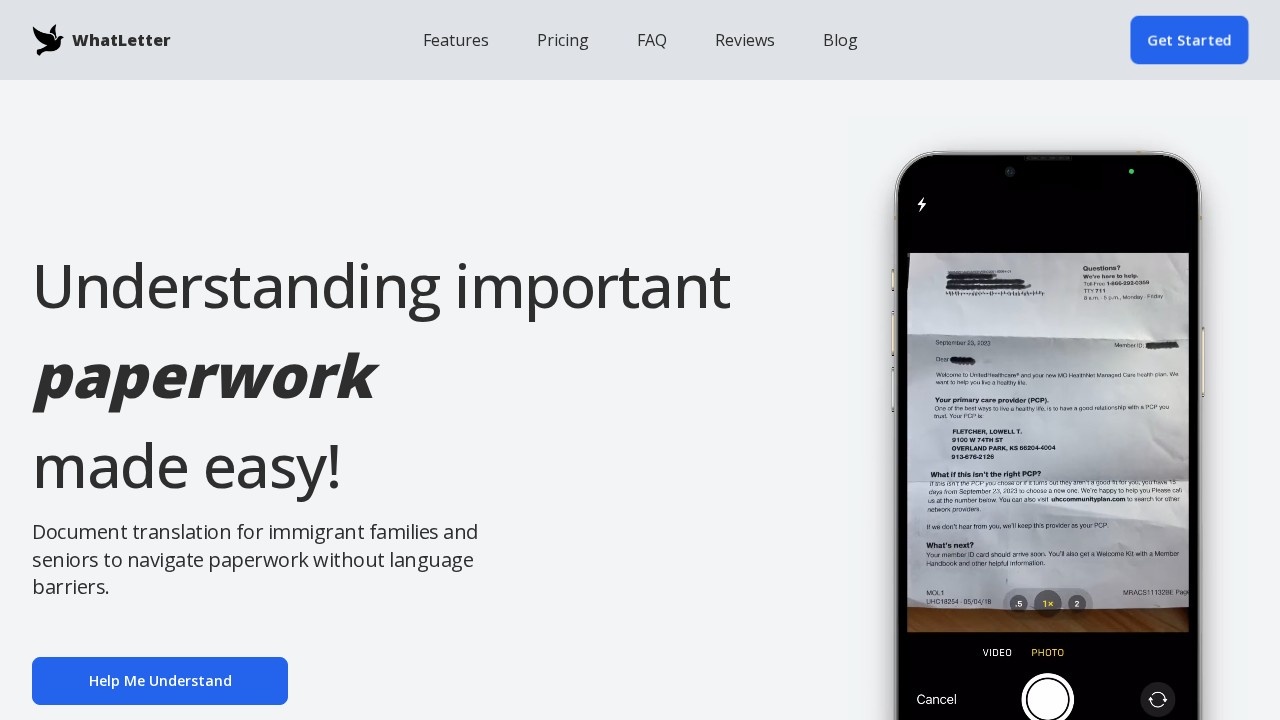
WhatLetter is an AI document translator and explainer for people who struggle with paperwork in a language they don't read well. It is aimed especially at immigrant families and seniors. You take a photo of a letter or document, and WhatLetter translates it, explains what it means and answers questions about it in your chosen language. The goal is to remove language barriers around everyday paperwork.
How it works
You snap or scan any document, and WhatLetter gives you an instant interpretation. PDF documents are supported too. You then choose your preferred language and chat with the assistant, which explains the content and answers follow-up questions, such as what a letter is asking you to do or which deadline applies. The app supports more than 30 languages, including Arabic, Bengali, Cantonese, Farsi, Filipino, Hausa, Hindi, Mandarin, Polish, Russian, Spanish, Tamil, Turkish, Ukrainian, Urdu and Vietnamese, and invites users to request missing ones.
Use cases
Typical uses include personal documents such as medical records, prescriptions, bills, bank statements and legal forms. Travellers can translate guides, menus, signs and schedules in real time. Businesses can translate contracts, manuals and marketing materials. It can also summarise complex or technical material, such as research papers and financial reports. WhatsApp and Telegram integration is listed as coming soon.
Privacy
WhatLetter says it does not save the images you provide on its servers. Chat history is kept only for your own reference and is not shared with or accessed by third parties.
Pricing
The free plan lets you translate up to three documents and hold up to three chat sessions a month. WhatLetter Plus costs $1.99 a month, or less with yearly billing, which saves 16%. It includes unlimited document translations and chats, and access to all supported languages.
Things to consider
AI explanations are a helpful first step, but for legal, immigration, medical or financial letters with serious consequences, users should confirm the meaning with the issuing organisation, a professional or a qualified interpreter before acting. Photo quality affects accuracy, so it's worth capturing documents in good light and in full.
The interface is designed to be simple enough for people who aren't comfortable with technology, which matters for its intended audience. Family members can also use it to help relatives understand letters from schools, doctors or government offices.
Details
- Pricing
- Freemium
- Release date
- 2025-07-12
- Last checked
- 5d ago
- Indexing
- index, follow
- Category
- Productivity
Suggest an edit
Sign in to suggest an edit.
Alternatives
 TidyreadIt also plays nicely with the rest of your stack. Links and files move in and out easily, so the tool sits naturally beside the software you already rely on....
 DreamgiftIt runs on a free model, so getting started is a low-risk decision. After a few sessions you will know quickly whether it fits. Freelancers use it to keep client...
 Mindmap AI AppThe listing indicates the tool operates on a free...
 PdfgearThe whole experience is built around finishing things. From the first run onward, you are guided toward complete, usable results rather than half-finished experiments. Teams running regular ai coding campaigns...
 RaindropIt runs on a free model, so getting started is a low-risk decision. After a few sessions you will know quickly whether it fits. The flexibility shows when the same...
 Standard AIStandard AI is a ai video generation assistant that focuses on one thing: making the work easier. It skips unnecessary clutter and gets straight to useful output. You are not...
 Adpilot By PicsartPower users get deeper controls, while casual users can ignore them. The result is a tool that scales from quick one-off tasks to larger recurring workloads. It is a practical...
 Dhtmlx ChatbotThe tool is free, which keeps the barrier to entry low. You can try it before deciding whether it earns a permanent place in your workflow. For a straightforward look...
 ChatPDFChatPDF lets you upload a PDF, Word, PowerPoint or text file and ask questions, with answers that cite the page they came from.
 AskyourdatabasePower users get deeper controls, while casual users can ignore them. The result is a tool that scales from quick one-off tasks to larger recurring workloads. Before you decide, skip...
 GrokGrok is xAI's chatbot with live web and X search, image and video generation, voice mode and a multi-agent option for hard questions.
 ChatGPTChatGPT review (October 2026): features, verified Free, Go, Plus and Pro pricing, who it suits, pros, cons and alternatives on AIMAPER.