


ChatPDF
ChatPDF lets you upload a PDF, Word, PowerPoint or text file and ask questions, with answers that cite the page they came from.
Sign in to rate this tool.
Overview
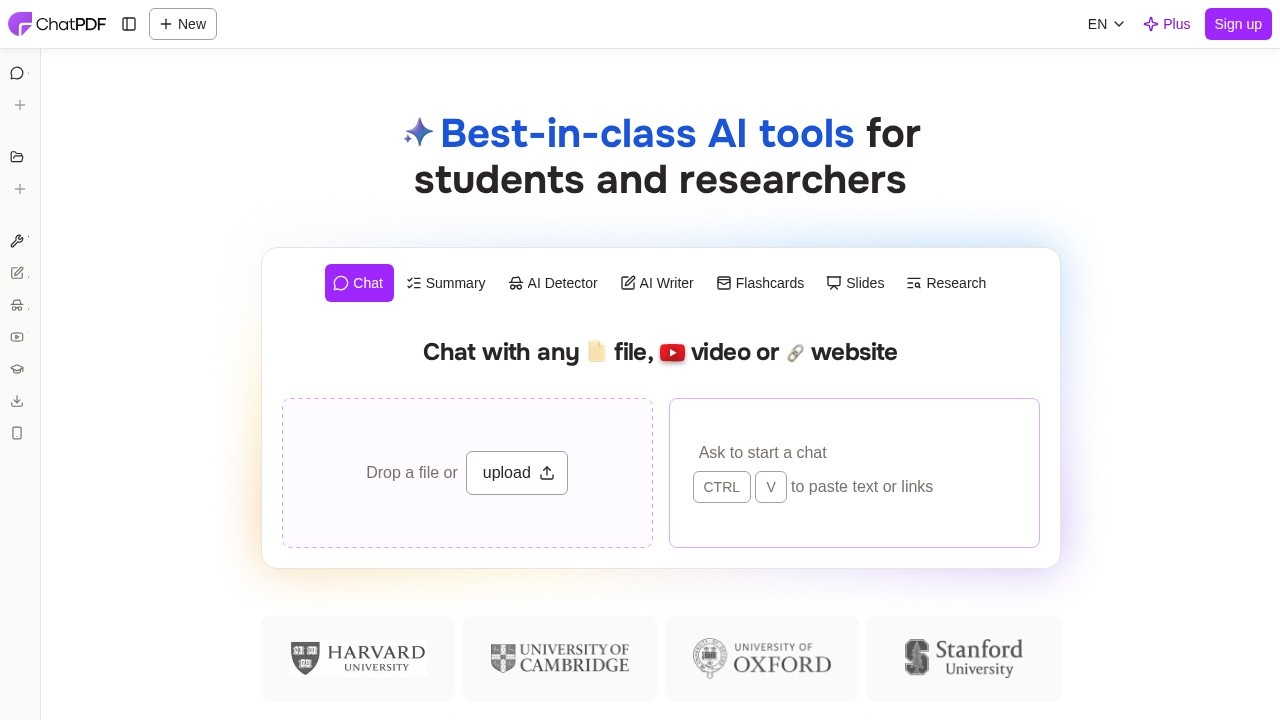
ChatPDF does one job: you upload a document and ask it questions. It reads the file, builds a map of the content, and answers with citations that point back to the right page, shown side by side with the PDF so you can check them. Despite the name, it also takes Word (.doc, .docx), PowerPoint (.ppt, .pptx), Markdown and plain text files.
You don't even need an account to try it. Drop a file on the homepage and start asking. Signing up for a free account adds saved chat history and multi-document chats, where you put several files in a folder and ask questions across all of them, for example comparing two contracts or pulling findings from five papers at once.
Features worth knowing
- Summaries of articles, research papers and reports.
- Translation: upload a document in one language and ask questions in another. ChatPDF says it works with documents in any language.
- Study tools: the homepage offers flashcards and slides alongside chat and summaries.
- Sharing: generate a link so others can chat with a specific PDF without an account, and revoke it later.
- Extra tools under the same login: an AI writer, an AI detector and a YouTube chat.
On models, ChatPDF says it routes queries dynamically rather than relying on a single one. For security, files are encrypted in transit and at rest, storage is with a SOC 2 Type II certified provider, and you can delete documents at any time.
Free vs. Plus
The free plan lets you analyse 2 documents a day. ChatPDF Plus removes that cap with unlimited document analysis and adds more advanced features. ChatPDF doesn't publish a public pricing page (the /pricing address returned "page not found" in our check), and the Plus price is shown inside the app, so we can't quote it here. Checked October 2026 on chatpdf.com.
Who gets the most from it
Students and researchers working through journal articles, and professionals who need to find a clause in a long contract or manual. Its simplicity is the selling point: there's almost nothing to learn.
Pros: no sign-up needed to try; page-level citations; multi-file chats and several file formats.
Cons: 2 documents a day goes quickly; Plus pricing isn't public; as with any document AI, check important answers against the page it cites.
Alternatives
Humata is built for teams with large document libraries. For academic papers specifically, try Consensus or Elicit.
Details
- Pricing
- Freemium
- Release date
- 2025-06-16
- Last checked
- 11h ago
- Indexing
- index, follow
- Category
- Chatbot
Suggest an edit
Sign in to suggest an edit.
Alternatives
 Quills AIFor a straightforward look at an option like this, Quills AI is a sensible place to start. Visit quills.ai to see live examples and up-to-date details. The tool is free,...
 DokkoA few standout features include quick presets, template support, export in common formats, and the ability to keep recurring projects organized in one place. Built for ai chatbots work, Dokko...
 Quizbot AIA few standout features include quick presets, template support, export in common formats, and the ability to keep recurring projects organized in one place. You are not locked into a...
 GrokGrok is xAI's chatbot with live web and X search, image and video generation, voice mode and a multi-agent option for hard questions.
 WhatletterIt runs on a free model, so getting started is a low-risk decision. After a few sessions you will know quickly whether it fits. Whatletter is a focused ai chatbots...
 Chatcsv CoPower users get deeper controls, while casual users can ignore them. The result is a tool that scales from quick one-off tasks to larger recurring workloads. If ai chatbots tasks...
 Getbutton AI Chatbots For WebsitesIf ai chatbots tasks take up too much of your day, Getbutton AI Chatbots For Websites is built to give you time back. It handles the heavy lifting while leaving...
 ChatGPTChatGPT review (October 2026): features, verified Free, Go, Plus and Pro pricing, who it suits, pros, cons and alternatives on AIMAPER.
 CustomgptIf ai chatbots tasks are part of your routine, Customgpt is worth testing against your own use cases. Their website, customgpt.ai, has the full details. Collaboration hooks are there too...
 Ioni AIYou are not locked into a single way of doing things. Ioni AI supports your existing habits instead of forcing a new one, which makes adoption within a team much...
 AskyourdatabasePower users get deeper controls, while casual users can ignore them. The result is a tool that scales from quick one-off tasks to larger recurring workloads. Before you decide, skip...
 Asklo AIThere is a deliberate calm to how Asklo AI works. Loading screens are short, buttons do what they say, and your work is saved where you expect it to be....
Pros and cons
Pros
- no sign-up needed to try
- page-level citations
- multi-file chats and several file formats
Cons
- 2 documents a day goes quickly
- Plus pricing isn't public
- as with any document AI, check important answers against the page it cites