


Adpilot By Picsart
Power users get deeper controls, while casual users can ignore them. The result is a tool that scales from quick one-off tasks to larger recurring workloads. It is a practical...
Sign in to rate this tool.
Overview
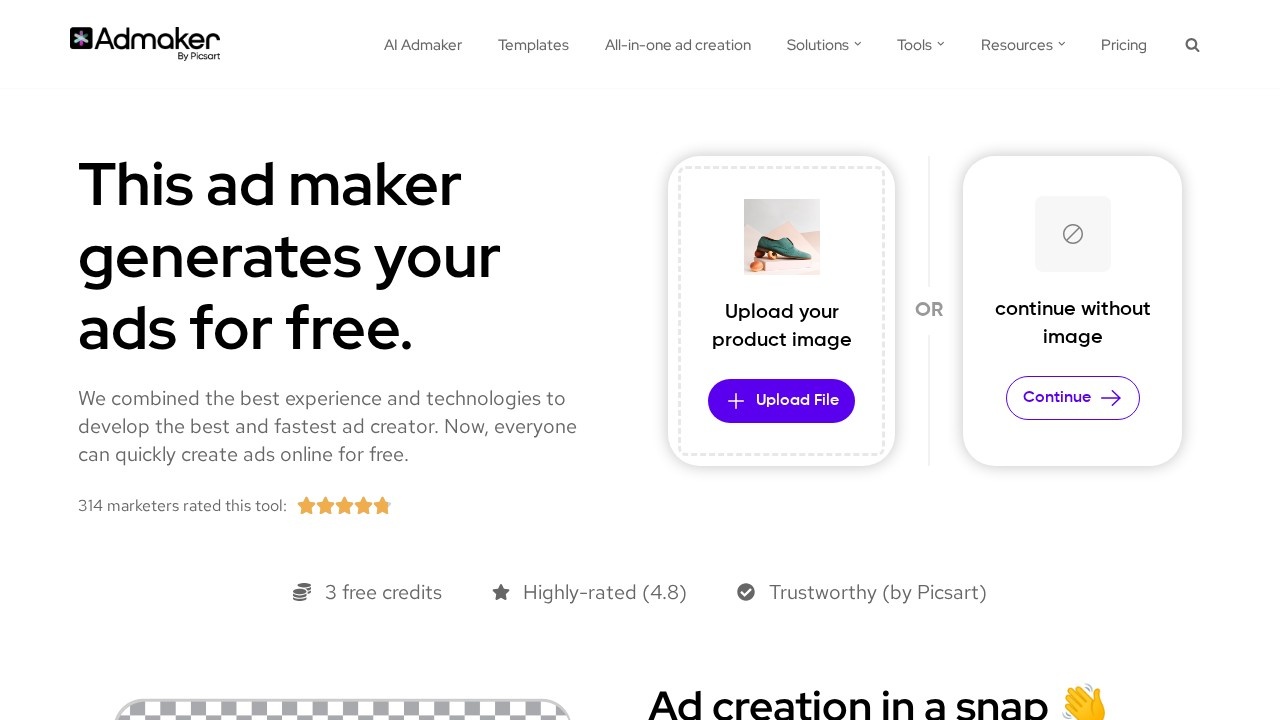
Adpilot By Picsart lets you create social media ads online using a combination of AI‑generated copy, editable visuals, and selectable layouts. The service runs on a free model, offering a few free credits to test its capabilities before you decide to invest more. It is structured to keep beginners comfortable while giving power users the depth to refine every detail.
The workflow begins with an upload step. You paste a product photo or any image you want to showcase; the tool then places it in a predefined template and allows you to crop or resize it with simple sliders. Once the image is positioned, the “Generate an image” button pulls a new visual from the AI, filling any blank area with a context‑appropriate graphic. If you prefer a cleaner look, the “Pick a background” feature offers a handful of professionally designed backdrop options. You can choose a background by clicking on a thumbnail, after which the canvas updates automatically. Text entry is straightforward: click the “Add text” box, type your message, and drag the block to reposition. The tool offers basic formatting such as font selection, size adjustments, and color pickers.
For copy, the AI copy generator creates a headline and a short body line based on a prompt you provide. When you enter a target keyword or product description, the system outputs a headline that includes the keyword and a body paragraph that reads naturally. You can edit the suggestions manually if needed. Adpilot also lets you pick from a list of supported ad sizes, such as a square 1:1 for Instagram, a vertical 4:5 for Facebook Stories, or a horizontal 16:9 for YouTube thumbnails, so the final image is ready for the platform you target. Each finished ad can be saved to your library or shared directly to the social network slots listed in the interface. The history panel logs previous batches, letting you duplicate a past design with only a few clicks.
The tool is aimed at small‑business owners, freelancers, and marketing teams that need quick, touch‑up‑ready ads without a steep learning curve. It may not suit enterprise agencies that require advanced branding tools, API access, or detailed reporting, because such capabilities are not mentioned on the site.
Key features
Details
- Pricing
- Free
- Release date
- 2025-11-05
- Last checked
- 1h ago
- Indexing
- noindex, follow
- Category
- Marketing
Suggest an edit
Sign in to suggest an edit.
Pros and cons
Pros
- Free usage tier with trial credits
- Supports major social platforms and multiple ad dimensions
- Easy drag‑and‑drop interface with basic image editing tools
- AI copy generation speeds up content creation
Cons
- No clear pricing beyond free credits; no subscription details
- Limited number of background templates provided
- No mention of integration with advertising accounts or analytics
- Not designed for bulk or API‑based ad production
Alternatives
 Adwisely ComPower users get deeper controls, while casual users can ignore them. The result is a tool that scales from quick one-off tasks to larger recurring workloads. If ai marketing tasks...
 Contentstudio IoThe flexibility shows when the same tool is used to sketch a quick idea in the morning and to polish final work in the afternoon. It runs on a free...
 Clodura AIThe tool may appeal to individuals and teams looking for help with ai...
 PostizIf ai marketing tasks take up too much of your day, Postiz is built to give you time back. It handles the heavy lifting while leaving you in control. Collaboration...
 Ad Personam Self Serve DspIt also plays nicely with the rest of your stack. Links and files move in and out easily, so the tool sits naturally beside the software you already rely on....
 Smartadoc AIIt is a practical choice for ai marketing work, and the honest way to evaluate it is to give it a spin. Start at smartadoc.com for the latest information. You...
 WorkbotPower users get deeper controls, while casual users can ignore them. The result is a tool that scales from quick one-off tasks to larger recurring workloads. It is a practical...
 Smalltalk2 MePower users get deeper controls, while casual users can ignore them. The result is a tool that scales from quick one-off tasks to larger recurring workloads. Built for ai business...
 SpeakpalPower users get deeper controls, while casual users can ignore them. The result is a tool that scales from quick one-off tasks to larger recurring workloads. Pricing is free, and...
 Faraday AIPower users get deeper controls, while casual users can ignore them. The result is a tool that scales from quick one-off tasks to larger recurring workloads. It runs on a...
 ChatboxPower users get deeper controls, while casual users can ignore them. The result is a tool that scales from quick one-off tasks to larger recurring workloads. The tool is free,...
 Chatcsv CoPower users get deeper controls, while casual users can ignore them. The result is a tool that scales from quick one-off tasks to larger recurring workloads. If ai chatbots tasks...