


Sign in to rate this tool.
Overview
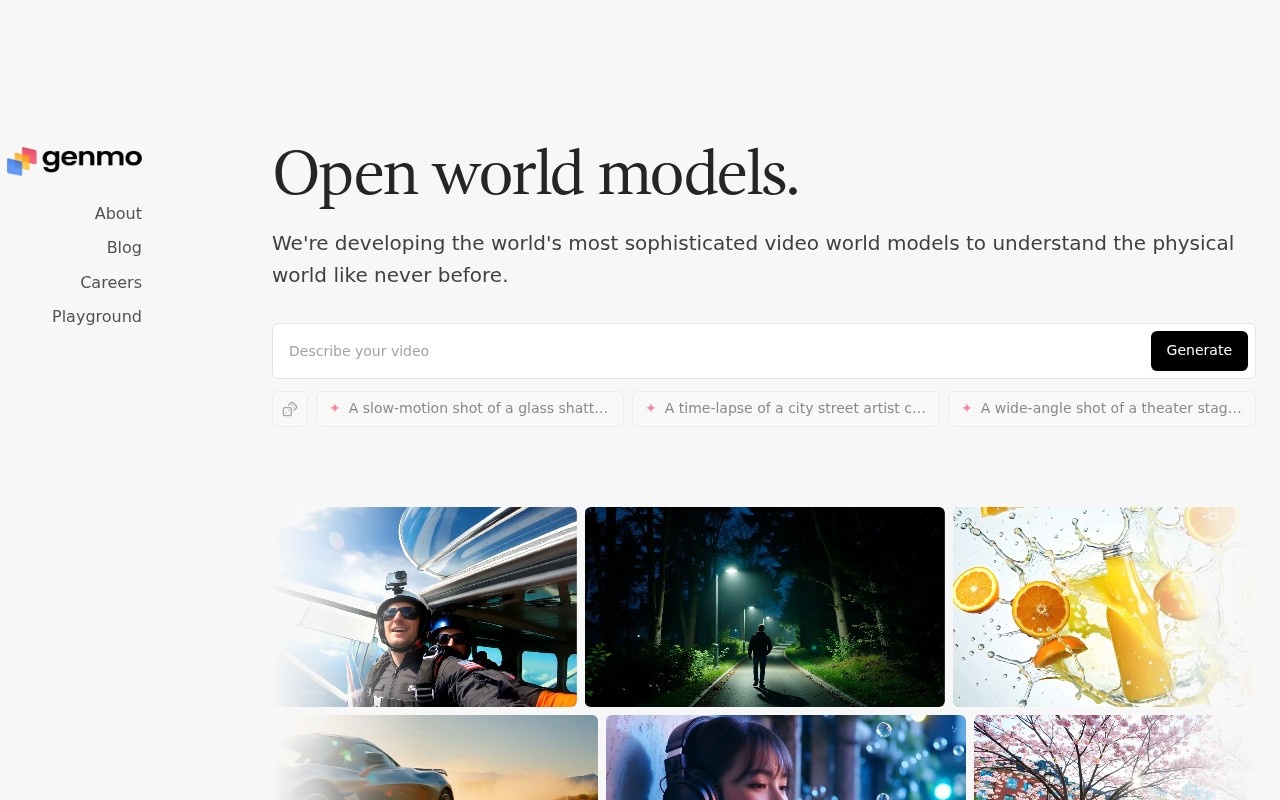
Genmo AI focuses on developing open video generation models. Their flagship model, Mochi 1, is a text‑to‑video system that turns written prompts into short video clips and is released as open source.
Mochi 1 allows you to provide a textual description and receive a corresponding video. The website showcases examples such as a slow‑motion shot of glass shattering on the floor, a time‑lapse of a street artist creating a chalk mural, and a wide‑angle view of a theater stage from behind the curtains. Each example shows the camera capturing movement, detail, and narrative cues that follow the prompt. You can generate only one clip per prompt; the tool currently does not support branching storylines or user‑controlled editing of the generated sequence. The output is a standard video file that can be viewed in any media player.
The model is available through a public GitHub repository (https://github.com/genmoai/mochi). Setup requires cloning the repo, installing dependencies with `pip install -e .`, and running the quickstart script (`python demos/cli.py`). The code can be run locally on a machine with a suitable GPU, although the website does not list specific hardware requirements. The repository also includes instructions to use Mochi 1 with ComfyUI, providing a node‑based interface for building custom pipelines that can incorporate the video generation step into larger workflows. An interactive playground on the Genmo site lets users type prompts and view results without installing anything, giving a quick way to test the model's capabilities.
If you are a researcher, hobbyist, or developer wanting to experiment with video synthesis, Mochi 1 offers an accessible starting point. It suits projects where a single, low‑resolution clip is adequate and where you prefer full control over the model's code. It does not cater to users who need a plug‑and‑play commercial solution, high‑resolution output, or extensive documentation on scaling the model across multiple GPUs.
Key features
- Text‑to‑video generation from natural language prompts
- Open‑source code available on GitHub
- Quickstart script for local deployment
- Interactive playground for immediate testing
- Integration with ComfyUI for visual workflow building
- Example CLI usage for automated generation
Details
- Pricing
- Free
- Release date
- 2026-08-09
- Last checked
- 57m ago
- Indexing
- noindex, follow
- Category
- Video
Suggest an edit
Sign in to suggest an edit.
Pros and cons
Pros
- Fully open source, allowing customization and local running
- Demonstrated examples show detailed visual outputs
- Quickstart instructions simplify initial setup
- Interactive playground lets users explore model limits
Cons
- No published pricing or commercial licensing details
- Limited documentation on supported resolutions and formats
- No mention of GPU requirements or scaling options
Alternatives
 Stable VideoAI video model transforming images/text into videos.
 Kling 3.0 AI Video GeneratorKling 3.0 turns text prompts and source images into short videos with controllable motion, camera direction and cinematic visual styles. Browser-based workflow for social clips, ads and product demos; free…
 Veevid AIA description of this product, its...
 PikaPika is an idea-to-video platform that turns ideas into motion videos.
 RunninghubThe tool is free, which keeps the barrier to entry low. You can try it before deciding whether it earns a permanent place in your workflow. There is a deliberate...
 AI Video CutAI tool to repurpose long videos into short, engaging clips for social media.
 Wavel AIAI-powered platform for video editing, text-to-speech, voice cloning, and localization.
 Krikey AIThe tool is free, which keeps the barrier to entry low. You can try it before deciding whether it earns a permanent place in your workflow. There is a deliberate...
 BoolvideoBoolvideo is a ai video generation assistant that focuses on one thing: making the work easier. It skips unnecessary clutter and gets straight to useful output. There is a deliberate...
 Opus Clip AIAI-powered video repurposing tool for creating viral short clips from long videos.
 Podfyai The Platform For Creators And AgenciesAI platform to automatically turn texts and audio into fully edited videos.
 Quickpov AIAI platform to create viral POV videos from text prompts.