


Vizard
Vizard is a ai video generation assistant that focuses on one thing: making the work easier. It skips unnecessary clutter and gets straight to useful output. The tool is free,...
Sign in to rate this tool.
Overview
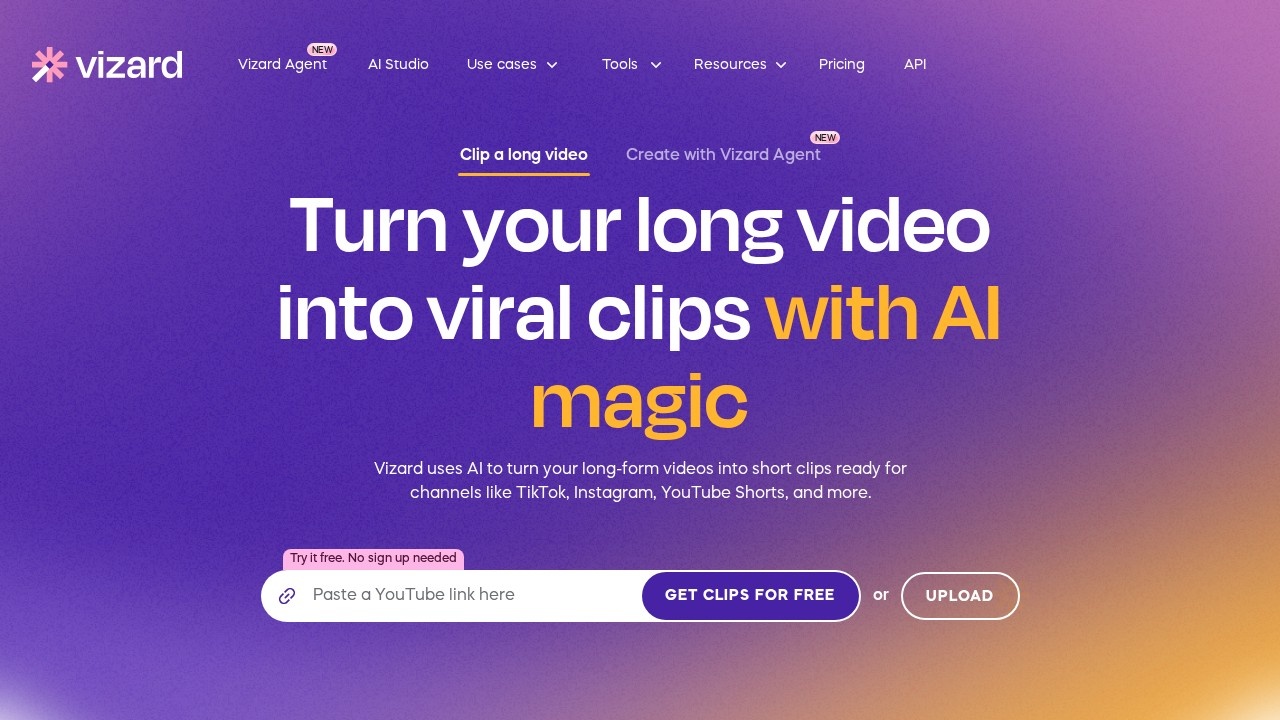
Vizard is an AI video editing and clipping tool that turns long-form videos into short clips ready for TikTok, Instagram, YouTube Shorts and other channels. Vizard says it is trusted by more than 10 million creators and businesses. You can try it free, and the homepage lets you get clips without signing up first.
Clipping long videos
You paste a link or upload a video, such as a podcast, course, interview, TV show, news segment or coaching session, and Vizard finds the strongest moments. It can turn one long video into more than 30 clips in one click, adding captions and reframing for vertical formats. A full video editor lets you adjust each clip before exporting.
Vizard Agent and AI Studio
Vizard Agent is a newer way to create videos from a prompt. It offers 22 templates, including product ads, software ads, talking heads, vlog stories, tutorials, UGC ads, explainers, podcast clips, localisation, listicles, AI avatars, customer stories, event recaps, trailers, multicam edits, music videos and mini-documentaries.
Publishing
Paid plans let you schedule social posts directly to connected accounts, so clipping and distribution happen in one place. An API is available for teams that want to automate video processing.
Pricing
Vizard uses credits, where one credit equals one minute of uploaded video. The Free plan gives 60 credits a month, one private workspace, one social account, AI-generated clips, 720p export, full access to the editor and three-day storage. The Creator plan removes the watermark, exports in 4K, manages six social accounts, adds post scheduling and 100 GB of storage. A Business plan adds team workflows. Yearly billing is advertised at 50 percent off; check the pricing page for current amounts.
Who it suits
Vizard suits podcasters, coaches, consultants, marketers and agencies that publish long videos and want to reuse them as short social content.
Things to consider
AI picks moments by patterns, so review clips for context before posting, especially from interviews. Only clip videos you own or have permission to use. Watch credit usage, as long uploads consume credits quickly, and download clips before free-plan storage expires.
Clips can be refined with the built-in editor.
Details
- Pricing
- Freemium
- Release date
- 2025-11-21
- Last checked
- 4d ago
- Indexing
- index, follow
- Category
- Video
Suggest an edit
Sign in to suggest an edit.
Alternatives
 AI Video CutAI tool to repurpose long videos into short, engaging clips for social media.
 BoolvideoBoolvideo is a ai video generation assistant that focuses on one thing: making the work easier. It skips unnecessary clutter and gets straight to useful output. There is a deliberate...
 Opus Clip AIAI-powered video repurposing tool for creating viral short clips from long videos.
 Yuzzit VideoAI-powered video creation platform for editing, sharing, and storing videos.
 Spikes StudioAI clip generator for viral short videos on YouTube, TikTok, and Reels.
 Quickpov AIAI platform to create viral POV videos from text prompts.
 MalloyMalloy is a platform to hire top video editors.
 WisecutAI-powered video editing software that automatically creates engaging clips from long videos.
 FastcutAI-powered video editor for creating engaging short-form content quickly and easily.
 Stable VideoAI video model transforming images/text into videos.
 Seedance 2.5Seedance 2.5 is a multimodal AI video generator you can start with a free trial, with free credits on sign-up. Create clips from 4 to 30 seconds in 480p, 720p…
 VideoideasaiAI assistant for YouTube creators to generate video scripts and content ideas.
Pros and cons
Pros
- You can try clipping a long video for free without signing up.
- Free plan gives 60 credits a month, with one credit per uploaded minute.
- Includes a full video editor alongside automatic clip suggestions.
- Paid plans can schedule posts to several social accounts.
Cons
- Free exports are limited to 720p and files are kept for only three days.
- Watermark removal and 4K export require a paid plan.
- Long uploads eat credits quickly since every minute costs one.
Checked 2026-10-19. · vizard.ai/ · vizard.ai/pricing