


Runcomfy
It is a practical choice for ai image generation work, and the honest way to evaluate it is to give it a spin. Start at runcomfy.com for the latest information....
Sign in to rate this tool.
Overview
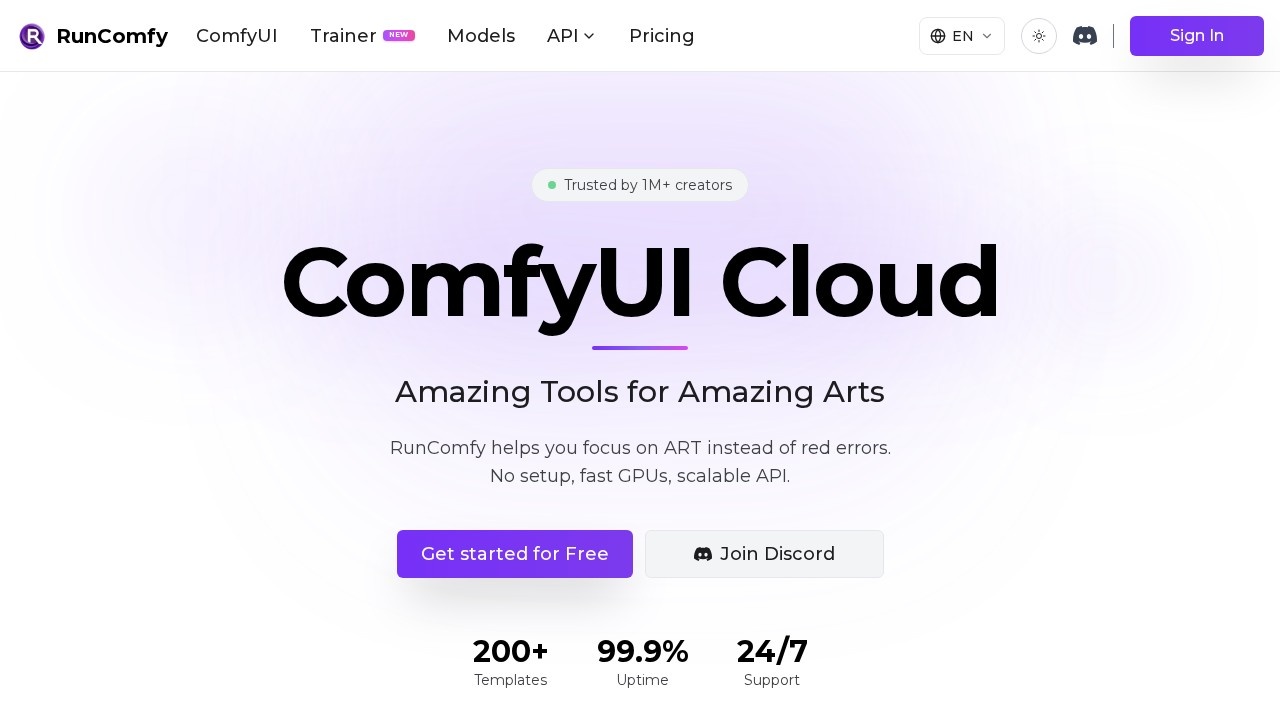
RunComfy is a cloud platform for ComfyUI, the popular node-based interface for running open-source image and video generation models. It removes local setup so you can focus on creating rather than fixing errors, and it adds model APIs and training. RunComfy says it is trusted by more than one million creators and developers, offers over 200 templates, 99.9 percent uptime and 24/7 support.
ComfyUI in the browser
You can try ComfyUI in your browser without installation and start creating in seconds. The auto-setup agent is designed to save hours: drop a workflow.json file and RunComfy handles every dependency, custom node and model download, then gives you a link to open and run it. The site says the file is parsed locally. Full native ComfyUI is supported, so you can upload custom models and install any nodes. Dedicated private GPU machines range from 16 to 141 GB of VRAM, and any workflow can be turned into a serverless API with one click.
Models and training
The Models and API offering gives access to top open-source and commercial models with simple per-generation pricing. The Trainer runs long training jobs on 80 GB and 141 GB GPUs, releases GPUs automatically when training completes so there are no idle charges, and keeps persistent checkpoints so you can resume training.
Pricing
Pay as You Go requires no subscription and applies standard GPU rates, with 10 GB of storage and up to 10 saved workflow environments; inactive assets are removed after 90 days. Pro costs $19.99 a month billed yearly at $239.90, or $29.99 monthly. It adds a discount of 20 percent or more on GPU rates, 20 CPU hours a month for uploads and setup, a $10 monthly credit, unlimited saved environments, 200 GB of permanent storage and priority support.
Who it suits
RunComfy suits ComfyUI users without a powerful local GPU, developers deploying workflows as APIs and teams training custom models.
Things to consider
GPU time is billed while machines run, so shut down sessions when finished. Check licences for the models and custom nodes you use, especially for commercial work.
Start with a template to learn the platform before moving your own workflows.
Details
- Pricing
- Freemium
- Release date
- 2026-02-07
- Last checked
- 3d ago
- Indexing
- index, follow
- Category
- Image
Suggest an edit
Sign in to suggest an edit.
Alternatives
 Patchwork TattoosPatchwork Tattoos is an AI tattoo and image generation tool for exploring patchwork tattoo ideas, sleeve inspiration, filler concepts, and design variations. Users can generate or remix visual tattoo concepts…
 ArtblastaiIt is a practical choice for ai image generation work, and the honest way to evaluate it is to give it a spin. Start at artblastai.com for the latest information....
 Scenario ComFreelancers use it to keep client work moving, while in-house teams rely on it for consistent output across projects. Either way, the routine parts of ai image generation work get...
 ImaggaIt is a practical choice for ai image generation work, and the honest way to evaluate it is to give it a spin. Start at imagga.com for the latest information....
 Tensor.ArtTensor.Art is a free online image generator and model hosting site where you run community checkpoints and LoRAs or use guided tools like OC Creator.
 Remove TextIt is a practical choice for ai image generation work, and the honest way to evaluate it is to give it a spin. Start at remove-text.com for the latest information....
 Scribble To ArtIt is a practical choice for ai image generation work, and the honest way to evaluate it is to give it a spin. Start at scribbletoart.com for the latest information....
 Raphael AIA description of this product, its capabilities, and its intended...
 SeaArtSeaArt combines many image and video models, one-click effect templates, AI characters and a large remix community, with Basic and SVIP access tiers.
 PicsartPicsart is an AI creative platform with 180+ image, video and audio models, trend templates, editing agents and Flow workflows, on Pro and Ultra credit plans.
 SharpniqThe flexibility shows when the same tool is used to sketch a quick idea in the morning and to polish final work in the afternoon. Sharpniq brings a fresh take...
 KreaKrea gathers its own Krea 3 model and third-party image, video and 3D models in one suite, with realtime generation, LoRA training and pro plugins.