


GitHub Copilot
GitHub Copilot review (October 2026): AI coding assistant in your editor and on GitHub, verified Free, Pro, Pro+ and Max plans and AI Credits explained.
Sign in to rate this tool.
Overview
What it is
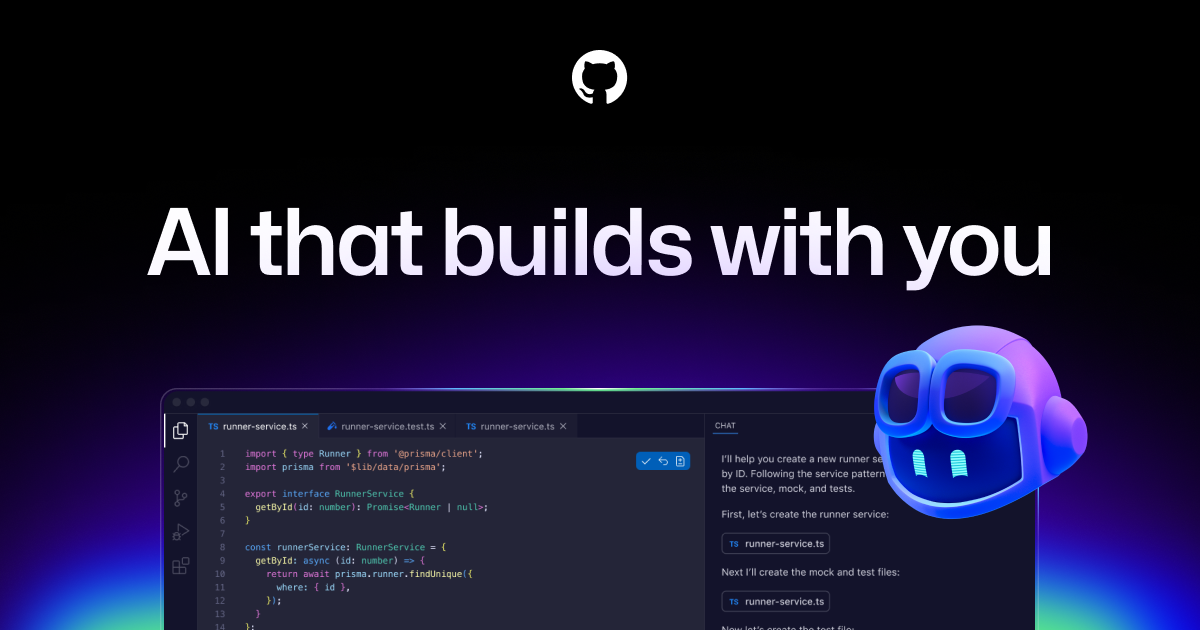
GitHub Copilot is GitHub's AI coding assistant. It started as an autocomplete tool that suggests code as you type and has grown into a broader platform with chat, an agent mode that can make multi-file changes, AI code review on pull requests, a terminal tool (Copilot CLI) and a cloud agent you can assign tasks to. Because it is built by GitHub, it connects directly to repositories, issues and pull requests.
Key features
According to GitHub's official plans page (October 2026):
- Code suggestions and chat in supported editors, including VS Code, Visual Studio, JetBrains IDEs, Neovim, Eclipse and Xcode.
- Agent mode in VS Code, Visual Studio, JetBrains, Eclipse and Xcode, available on all plans, including Free.
- MCP server integration and custom instructions and agents on all plans.
- Code review of pull requests on GitHub and of file diffs in editors (Pro and above).
- Cloud agent: assign work to Copilot to research, plan and write code, with or without opening a pull request (Pro and above).
- Third-party coding agents: on Pro+ and Max, delegate tasks to agents such as Anthropic's Claude and OpenAI Codex (in preview).
- App modernisation for Java and .NET on Pro and above.
- Copilot CLI for using Copilot from your terminal, on all plans.
Pricing (verified October 2026)
- Free: $0, with limited chat and agent usage.
- Pro: $10/month, with $15 of GitHub AI Credits per month ($10 base plus a $5 flex allotment).
- Pro+: $39/month, with $70 of AI Credits ($39 base plus $31 flex).
- Max: $100/month, with $200 of AI Credits ($100 base plus $100 flex).
GitHub explains that chat, agent mode, code review, the cloud agent, Copilot CLI and Copilot Apps all consume AI Credits, with usage varying by model. The flex allotment is extra usage on top of the base and "may change over time". Paid plans can buy more credits. Verified students, teachers, open-source maintainers and MVPs may qualify for free Pro access. Copilot Business and Copilot Enterprise are sold to organisations; check the official site for current pricing.
A note on data use
GitHub's FAQ states that interactions from Copilot Free, Pro and Pro+ users, including inputs, outputs and code snippets, may be used to train and improve its models unless the user opts out in their GitHub account settings. Business and Enterprise seats are managed by organisation administrators, who control policies, models and preview features.
Who it's for
- Developers who already host code on GitHub and want AI connected to issues and pull requests.
- Students and beginners, especially those eligible for free Pro access.
- Teams standardising on one assistant across several editors.
- Developers who prefer to stay in their existing IDE rather than switch to an AI-first editor.
Pros
- Low entry price, with agent mode even on the free tier.
- Broadest editor support of the major coding assistants.
- Deep integration with GitHub repositories, issues and pull requests.
- Access to models from several providers.
- Free Pro access for eligible students, teachers and maintainers.
Cons
- Credit-based usage makes heavy agent use harder to predict.
- Flex allotments can change over time.
- Individual plans may use your interactions for training unless you opt out.
- Organisation pricing isn't published on the individual plans page.
- Like all AI coding tools, suggestions can be wrong or insecure and need review.
Alternatives on AIMAPER
- Cursor: an AI-first code editor built around agents.
- Devin Desktop (formerly Windsurf): Cognition's AI editor, rebranded in June 2026.
- Claude: strong for coding through chat and Claude Code.
- ChatGPT: general-purpose help, including Codex for coding tasks.
Compare them in our best AI coding tools category.
Bottom line
GitHub Copilot is the safe default for most developers: affordable, available in nearly every editor and tightly linked to GitHub. Start on Free, move to Pro when you hit the limits, and review the training opt-out setting on day one.
Details
- Pricing
- Paid · from $10/mo
- Billing
- monthly
- Release date
- 2026-05-18
- Last checked
- 10h ago
- Indexing
- index, follow
- Category
- Code
Suggest an edit
Sign in to suggest an edit.
Alternatives
 CursorCursor review (October 2026): AI-first code editor with agents, verified Hobby, Pro, Pro+, Ultra and Teams pricing, privacy mode, pros and cons.
 v0 by Vercelv0 by Vercel generates full-stack web apps from prompts, syncs with GitHub and deploys to Vercel in one click, with per-model token pricing.
 QodoQodo (formerly CodiumAI) reviews pull requests with multiple AI agents that learn your team's rules, check cross-repo impact and map your services.
 WarpWarp pairs a modern terminal with coding agents and cloud agent fleets, with usage included at API rates on its Build, Max and Business plans.
 ReplitReplit is a browser-based builder where an AI Agent writes, hosts and publishes full apps from a plain-language description, with database and auth built in.
 ClineCline is an open-source coding agent for VS Code, the terminal, desktop and cloud that works with your choice of model provider and your own API keys.
 Sourcery SentinelWhat stands out most is predictability. The same input produces dependable output, which matters when you are producing work for clients or publishing on a schedule. Sourcery Sentinel brings a...
 LovableLovable builds and hosts full web apps from a chat, with Cloud hosting, auth and payments included and a credit-based Pro and Business plan.
 ChatboxPower users get deeper controls, while casual users can ignore them. The result is a tool that scales from quick one-off tasks to larger recurring workloads. The tool is free,...
 Api Governance TestingApi Governance Testing brings a fresh take on ai coding tools, pairing powerful AI with an interface that does not get in the way. It is aimed at everyday users...
 Claude AIClaude review (October 2026): Anthropic's AI assistant, key features, verified Free, Pro, Max and Team pricing, pros, cons and alternatives.
 ManusManus is a general AI agent that plans and carries out multi-step tasks, from research reports to slides and websites, on a credit system.
Pricing
- Pricing model: Paid
- Starting price: $10/mo
- Billing: monthly
Pros and cons
Pros
- Low entry price, with agent mode even on the free tier.
- Broadest editor support of the major coding assistants.
- Deep integration with GitHub repositories, issues and pull requests.
- Access to models from several providers.
- Free Pro access for eligible students, teachers and maintainers.
Cons
- Credit-based usage makes heavy agent use harder to predict.
- Flex allotments can change over time.
- Individual plans may use your interactions for training unless you opt out.
- Organisation pricing isn't published on the individual plans page.
- Like all AI coding tools, suggestions can be wrong or insecure and need review.