


Sign in to rate this tool.
Overview
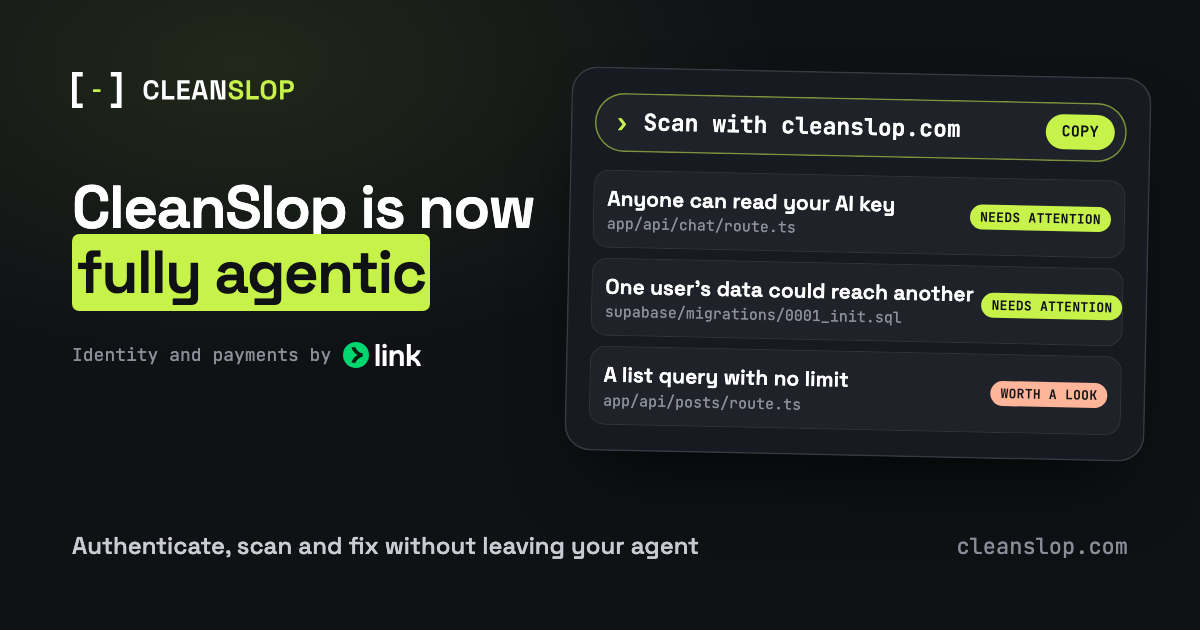
CleanSlop lets you run a full security audit on your web application code directly from an AI agent. You trigger the scan with a single line of text, such as “Scan with cleanslop.com,” in Claude, Codex, Cursor, Grok Bot or Muse. The scan reads every file in the selected GitHub repository, builds a map of routes, background jobs, data tables and external services, then flags potential break‑points that could become visible when real users hit the app.
The tool is best for small to medium‑sized projects that use GitHub and are built with dynamic web frameworks. It is designed for developers who already use an LLM‑driven IDE or assistant. If your project is static, does not contain server‑side code, or resides in a different version‑control system, CleanSlop will not apply. The free plan provides one fully‑functioning scan a month with no card entry. Each scan produces a browser‑ready report: the report is a markdown file that lists every finding in plain English, shows the exact file, line and function that raised the flag, and explains why the issue matters for end‑users. Findings are grouped into three tiers, needs attention, worth a look, minor, so you can focus first on the highest impact risks.
After a scan, the report can be left in the repository or sent back to the agent via a simple copy‑paste of the markdown snippet. The agent can then apply suggestions automatically, or you can manually edit the code. If unsure about a particular finding, a 15‑minute triage call with a CleanSlop engineer is available; the engineer walks through the flag and verifies whether it is a real problem. The agent can also book such a call with a single command.
CleanSlop's instructions for use follow a four‑step pipeline: connect the GitHub account and grant repository access; run a scan; review the report; and fix the code with the agent or by hand. The tool scans the entire repository, not just a single file, and it relies on the file‑level context to provide evidence for each issue. It does not provide any paid subscription pricing on the site, but it states that payment is required for additional scans beyond the free monthly one.
Details
- Pricing
- Free
- Last checked
- 3h ago
- Indexing
- noindex, follow
- Category
- Code
Suggest an edit
Sign in to suggest an edit.
Pros and cons
Pros
- Direct integration with AI coding agents, no manual uploads
- Evidence‑based alerts with clear code locations
- Prioritised findings reduce review fatigue
- Free scan per month, no credit card required initially
- Triage call provides human evaluation for ambiguous cases
Cons
- Only integrates with GitHub repositories
- No disclosed pricing for additional scans
- Limited to projects that involve server‑side components
- Does not handle static sites or repos in other VCS systems
Alternatives
 OpensilverAccording to its listing, Opensilver is an AI tool...
 Maxim AIWhat stands out most is predictability. The same input produces dependable output, which matters when you are producing work for clients or publishing on a schedule. Away from the main...
 CursorCursor review (October 2026): AI-first code editor with agents, verified Hobby, Pro, Pro+, Ultra and Teams pricing, privacy mode, pros and cons.
 Sourcery SentinelWhat stands out most is predictability. The same input produces dependable output, which matters when you are producing work for clients or publishing on a schedule. Sourcery Sentinel brings a...
 QodoQodo (formerly CodiumAI) reviews pull requests with multiple AI agents that learn your team's rules, check cross-repo impact and map your services.
 GitHub CopilotGitHub Copilot review (October 2026): AI coding assistant in your editor and on GitHub, verified Free, Pro, Pro+ and Max plans and AI Credits explained.
 LovableLovable builds and hosts full web apps from a chat, with Cloud hosting, auth and payments included and a credit-based Pro and Business plan.
 ReplitReplit is a browser-based builder where an AI Agent writes, hosts and publishes full apps from a plain-language description, with database and auth built in.
 Applitools EyesIt runs on a free model, so getting started is a low-risk decision. After a few sessions you will know quickly whether it fits. Applitools Eyes brings a fresh take...
 ChatboxPower users get deeper controls, while casual users can ignore them. The result is a tool that scales from quick one-off tasks to larger recurring workloads. The tool is free,...
 Navamai Enhance Your Craft With AIThe tool is free, which keeps the barrier to entry low. You can try it before deciding whether it earns a permanent place in your workflow. Power users get deeper...
 LiftmycvThe feature set covers the basics well and adds thoughtful extras - keyboard shortcuts, reusable templates, and clean sharing options - without overwhelming you. For a straightforward look at an...