


Photoroom
Photoroom is an AI product photo editor with background removal, AI scenes, fashion models, video ads, batch editing and an API, on Pro, Max and Ultra plans.
Sign in to rate this tool.
Overview
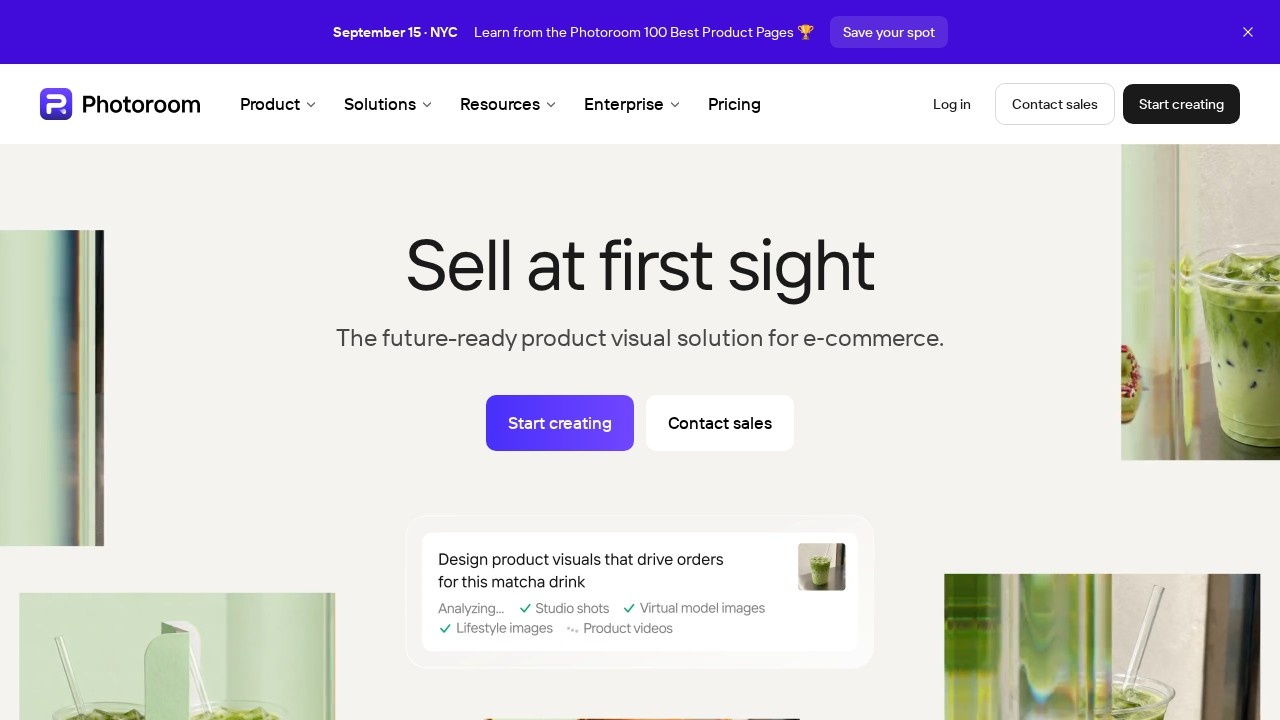
Photoroom is a photo editor built for selling things. Background removal for clean product cutouts is at its core, and around it Photoroom covers the whole job of making product visuals: AI-generated scenes and backgrounds, lifestyle staging, AI fashion models and virtual try-on, short video ads, batch editing for whole catalogues, and an API for companies that want to automate it.
Core tools vs credit tools
Photoroom's pricing is easier to follow once you know the split it uses:
- Core tools are included on every paid plan with no credit cost, within fair-use limits: Background Remover, Shadows (presets), Product Fixer, Retouch, AI Fill, AI Expand/Resize and Image Enhancer.
- Credit tools are heavier AI features that draw from a monthly credit pool: Video Generator, Virtual Model, AI Backgrounds Studio and Edit with AI.
Plans also have a monthly export allowance, counting every image you save from the editor, Batch or a Shopify sync.
Prices
From the official pricing page, checked October 2026. Each price is per month on yearly billing, with the higher figure the page shows next to it in brackets, which appears to be the monthly-billing rate:
- Pro: $7.50 ($12.99), 8,000 AI credits and 1,000 exports, with unlimited core tools and AI Backgrounds.
- Max: $20.99 ($34.99), 25,000 credits and 3,000 exports, pitched at video ads and high-res visuals.
- Ultra: $82.50 ($99), 75,000 credits and 10,000 exports, pitched at automated 4K visuals.
- Enterprise: custom pricing, with Visual Agents set up for your catalogue, SLA, SSO and SOC 2 Type 2 security.
Pro and Max have a free trial. Photoroom notes that the credits included can vary by country, and each paid plan includes a wallet of API/MCP credits worth the plan price. Details at photoroom.com/pricing.
Who it suits
Online sellers on Shopify, Amazon, eBay or Depop, small brands without a photo studio, food businesses making menu images, and larger retail teams that need thousands of consistent images. Photoroom also offers a free 30-second product page audit and an MCP connector for Claude.
Pros: excellent focus on product images; core tools aren't metered by credits; batch editing and Shopify integration.
Cons: some features are reserved for higher plans; credit and export limits take a moment to understand; regional credit differences.
Alternatives
Claid and Pebblely also focus on product photos. For quick free cutouts and cleanups, see Clipdrop.
Details
- Pricing
- Freemium
- Release date
- 2025-09-24
- Last checked
- 16h ago
- Indexing
- index, follow
- Category
- Photography
Suggest an edit
Sign in to suggest an edit.
Alternatives
 ClaidClaid is an AI product photography suite for scenes, fashion models, video and enhancement, with a strong API and Free, Essentials, Pro and Business plans.
 PebblelyPebblely turns plain product photos into styled scenes with 100+ templates and custom prompts, on Lite, Basic and Pro monthly image plans.
 AI Photo EditorIf ai image generation tasks take up too much of your day, AI Photo Editor is built to give you time back. It handles the heavy lifting while leaving you...
 AI Ease AI Photo EditorSmall operations appreciate the low setup cost, and larger teams value the consistency. Both end up spending less time on busywork and more on the actual result. It also plays...
 Stable VideoAI video model transforming images/text into videos.
 OptivizioAI photo generator for professional-quality visuals.
 LensaLensa by Prisma Labs is a mobile photo editor with one-tap trend effects, beauty tools, an AI eraser and enhancer, hair try-on and presets.
 PicWishPicWish is a simple AI photo editor for background removal, enhancement, AI design and product images, with free, Pro, Max and pay-as-you-go options.
 FotorFotor is an online photo editor and design tool with dozens of one-click AI tools for enhancing, removing, styling, generating images and video.
 ClipdropClipdrop by Jasper offers quick AI image tools for background removal, cleanup, relighting, uncrop and upscaling, free with daily limits or Pro at $15 a month.
 MokkerCollaboration hooks are there too - simple ways to pass work between teammates without emailing files back and forth or losing track of versions. Mokker is a ai image generation...
 KittlKittl is an AI-first design platform for merch, packaging, logos and ads, with AI image, vector and video tools, mockups and commercial licences on paid plans.
Pros and cons
Pros
- excellent focus on product images
- core tools aren't metered by credits
- batch editing and Shopify integration
Cons
- some features are reserved for higher plans
- credit and export limits take a moment to understand
- regional credit differences