


Mia Prm
A few standout features include quick presets, template support, export in common formats, and the ability to keep recurring projects organized in one place. The design favors clarity over decoration....
Sign in to rate this tool.
Overview
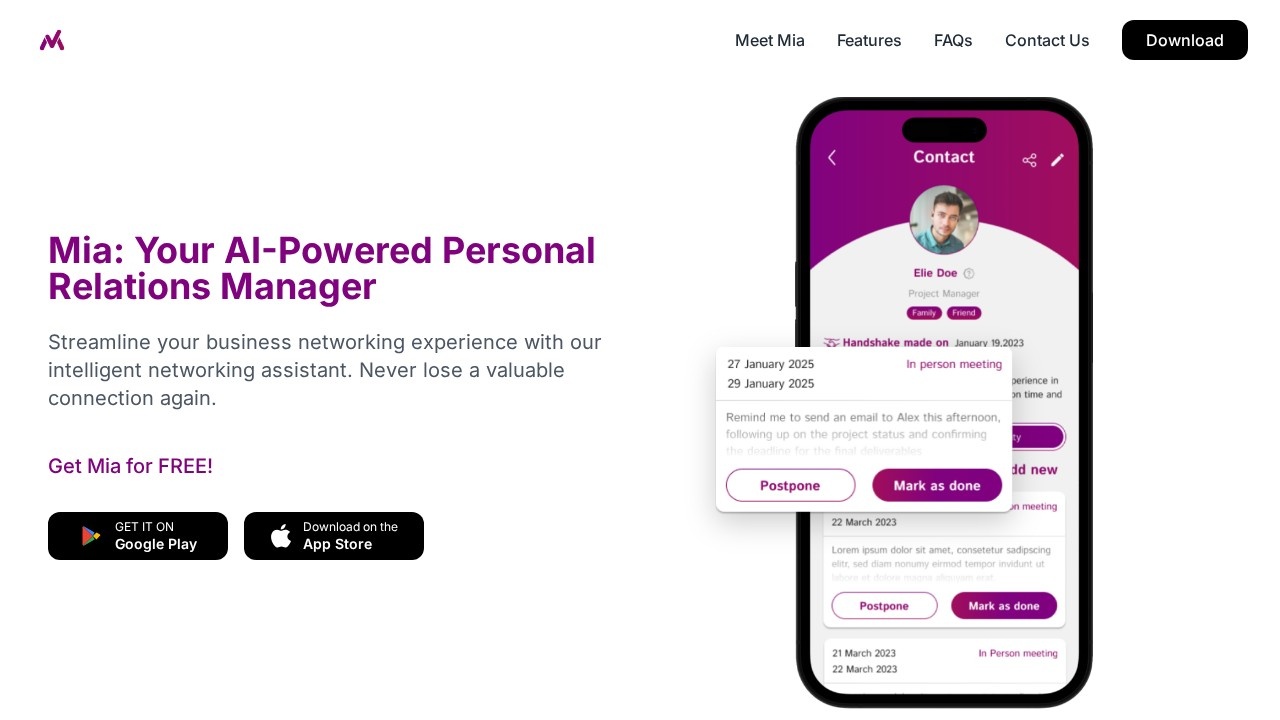
Mia PRM is a mobile app that describes itself as an AI-powered personal relations manager. It is designed for professionals who meet many people at events, meetings and social gatherings and want a simpler alternative to spreadsheets or full CRM software. Mia keeps track of who you meet, where you met them and what you talked about, so that useful connections are not lost after the first conversation.
Main roles
The app has three main functions. As a smart contacts manager, it stores business contacts in one place with automatic categorisation and search, so you can find a person by context rather than by remembering their exact name. As a digital business card facilitator, it scans physical business cards and lets you share your own contactless digital card with new connections in a few taps. As a relationship-building partner, it sends timely follow-up reminders and insights to help you keep in touch with people over time.
Networking tools
Mia aims to help you make a good first impression and keep conversations going after an event. Contact details are available instantly on your phone, and notes about each meeting help you pick up where you left off. Reminders are particularly useful after conferences, when dozens of new contacts can easily be forgotten within a week.
Availability and pricing
Mia is available on Google Play and the App Store. The homepage invites users to get Mia for free; any paid upgrades are shown inside the app, so check current terms after installing.
Who it suits
Mia PRM suits salespeople, founders, consultants, recruiters and freelancers who attend networking events and want a lightweight way to manage relationships without a company CRM.
Things to consider
Business card scanning can misread names, emails and phone numbers, so check scanned details before saving. Think about how contact data is stored and whether it is synced to the cloud, since you are holding other people's personal information and privacy rules may apply. If your company already uses a CRM, check whether Mia can export contacts so information does not end up split across systems. Reminders only help if you act on them, so set a realistic follow-up rhythm.
A good way to test the app is to use it at a single event, scanning every card and adding a short note about each conversation, then see how easily the reminders help you follow up during the following week.
Details
- Pricing
- Freemium
- Release date
- 2026-05-08
- Last checked
- 4d ago
- Indexing
- index, follow
- Category
- Productivity
Suggest an edit
Sign in to suggest an edit.
Alternatives
 DokkoA few standout features include quick presets, template support, export in common formats, and the ability to keep recurring projects organized in one place. Built for ai chatbots work, Dokko...
 TaskadeIt is a practical choice for ai agents work, and the honest way to evaluate it is to give it a spin. Start at taskade.com for the latest information. It...
 DartYou are not locked into a single way of doing things. Dart supports your existing habits instead of forcing a new one, which makes adoption within a team much smoother....
 Znote AIYou are not locked into a single way of doing things. Znote AI supports your existing habits instead of forcing a new one, which makes adoption within a team much...
 Saga AIPricing is free, and there is no pressure to commit before you have seen results in your own context. For anyone who lives in the ai productivity space, Saga AI...
 BananiFor anyone who lives in the ai design space, Banani is a refreshing find. The setup is light, the results are solid, and nothing is hidden behind menus. The tool...
 Lovspark AITypical use cases for tools in the ai design category include content creation, workflow support, and...
 RecraftRecraft is an AI design tool that generates true editable vector graphics, builds custom styles from your images and offers Free, Basic, Pro and Teams plans.
 HuehiveThe tool is free, which keeps the barrier to entry low. You can try it before deciding whether it earns a permanent place in your workflow. Built for ai analytics...
 KittlKittl is an AI-first design platform for merch, packaging, logos and ads, with AI image, vector and video tools, mockups and commercial licences on paid plans.
 Pristina AI Render Realism FastYou will find a paid plan, making it easy to test the tool against your own needs first. The practical way to judge it is to use it. For a...
 Jurny ComA few standout features include quick presets, template support, export in common formats, and the ability to keep recurring projects organized in one place. Freelancers use it to keep client...