

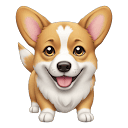
AI Emoji Generator
AI Emoji Generator creates personalized emojis from text using Stable Diffusion.
Sign in to rate this tool.
Overview
AI Emoji Generator lets you turn plain text into custom emojis with a web interface that runs the SDXL Turbo diffusion model. The site is free to use and delivers a high‑resolution emoji image after a single click. Together with a prompt database, it offers a quick route to unique icons for messaging or design.
On the homepage you see a text box labeled "Enter a prompt." The prompt can be anything from a short word, such as “sunset” or a longer phrase like “a glowing octopus playing guitar.” When you hit “Generate,” the server sends the prompt to the SDXL Turbo model. This diffusion model was trained on the 2 b English subset of LAION‑5b and produces an image in a single step. The result is displayed beneath the button in a square format that resembles a standard emoji size, but you can download it as a PNG with no water‑mark. If the image fails to meet expectations, you can tweak the prompt wording or choose a different example from the database.
The tool is aimed at casual users who want quick, creative emojis, for social media, chat apps, or personal projects. Those who need advanced editing, vector output, or batch processing might find the interface limited because it offers only the basic prompt‑to‑image pipeline with no options for scaling, layering, or adjusting color palettes. It also does not support image‑to‑emoji conversion; you must start with text. The website explicitly states that all generated images are released under CC0 1.0, so you can reuse them without concern for copyright. However, the listing does not disclose any usage limits, time‑based quotas, or a pricing model, so users may need to experiment to understand how many emojis can be created in a session.
Key features
- Text prompt input on a single web page
- Real‑time generation using the SDXL Turbo diffusion model
- Instant download of the resulting emoji image in PNG format
- Public database with over 10 000 prompt examples
- Images released under CC0 1.0 Public Domain Dedication
- GPU‑accelerated backend for quick response times
Details
- Pricing
- Free
- Release date
- 2025-09-28
- Last checked
- 1h ago
- Indexing
- noindex, follow
- Category
- Image
Suggest an edit
Sign in to suggest an edit.
Pros and cons
Pros
- Free, no subscription required for image creation
- Uses SDXL Turbo, which delivers realistic, single‑step results
- Public domain licensing removes reuse barriers
- Prompt database encourages creative experimentation
Cons
- No information on generation limits or rate‑limits
- Limited to text‑only prompts; no image‑to‑emoji feature
- No adjustable output options such as size or vector format
- Lack of detailed feature list or advanced settings in the UI
Alternatives
 Stable DiffusionStable Diffusion is Stability AI's family of open image models, free to self-host for individuals and businesses under $1M revenue, with an API and enterprise licences.
 AI Cartoon GeneratorTeams running regular ai image generation campaigns turn to it for repeatable output, and solo creators use it to push through tasks that would otherwise stall their day. A few...
 Fluxai Art Free AI Image GeneratorRather than chasing every possible feature, Fluxai Art Free AI Image Generator picks the ones that matter and does them well. That restraint is noticeable the first time you open...
 DALL-E 3DALL·E in ChatGPT review (October 2026): DALL·E is retired; what ChatGPT Images now offers, plan access, pricing, pros, cons and alternatives.
 ArtblastaiIt is a practical choice for ai image generation work, and the honest way to evaluate it is to give it a spin. Start at artblastai.com for the latest information....
 AI Photo EditorIf ai image generation tasks take up too much of your day, AI Photo Editor is built to give you time back. It handles the heavy lifting while leaving you...
 AI Product ShotIt also plays nicely with the rest of your stack. Links and files move in and out easily, so the tool sits naturally beside the software you already rely on....
 MokkerCollaboration hooks are there too - simple ways to pass work between teammates without emailing files back and forth or losing track of versions. Mokker is a ai image generation...
 Znote AIYou are not locked into a single way of doing things. Znote AI supports your existing habits instead of forcing a new one, which makes adoption within a team much...
 Raphael AIA description of this product, its capabilities, and its intended...
 Bulk Image GenerationPlenty of detail is tucked into the options area: adjustable quality levels, formatting choices, and automation that removes the repetitive part of ai image generation work. Freelancers use it to...
 Pristina AI Render Realism FastYou will find a paid plan, making it easy to test the tool against your own needs first. The practical way to judge it is to use it. For a...