


AI Audio Transcription
AI-powered audio transcription service offering fast, accurate, and affordable transcriptions in multiple languages.
Sign in to rate this tool.
Overview
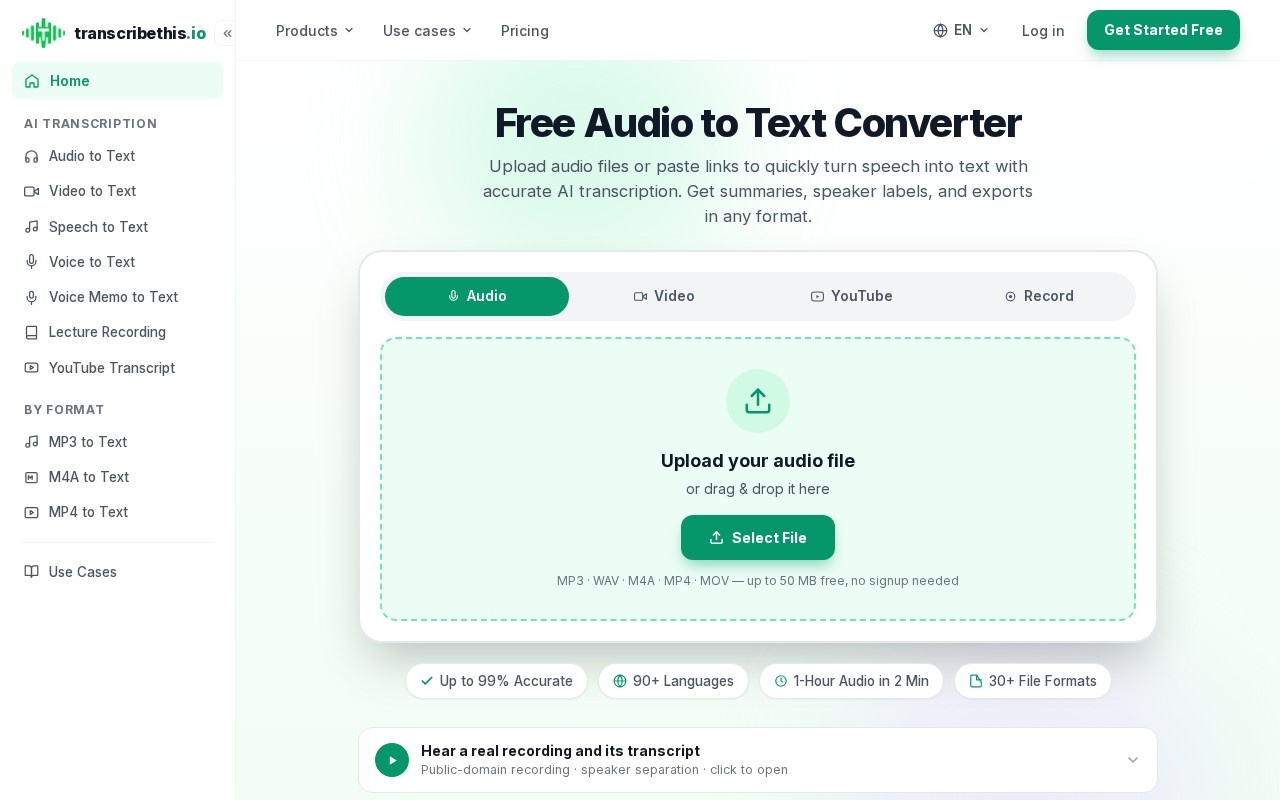
TranscribeThis is an online audio‑to‑text converter that turns recordings into editable text. You can upload a file, paste a link, or record through the browser, and the service returns a transcript, summary, or subtitle file in the format you choose.
The tool follows four steps. First, upload a file or paste a link; supported formats include MP3, WAV, M4A, MP4, and MOV, and you can also paste a YouTube, Zoom, or Google Meet link. A single upload can be up to 50 MB without signing up; larger files or additional exports require a paid plan. Second, the AI transcribes the spoken words, adding speaker labels that you can review and word‑level timestamps that are clickable, letting you play the corresponding portion of the audio. Third, the same AI generates a structured summary, action items, and chapter markers automatically from the transcript. Fourth, you edit the text in the built‑in editor and export it as TXT, JSON, PDF, DOCX, SRT, or VTT. All processing occurs on the server, so nothing is installed locally.
This service is aimed at people who need a written record of meetings, lectures, interviews, podcasts, or videos where speaker identification matters. It can help project managers capture decisions, students create searchable notes, podcasters repurpose content, and video editors generate captions quickly. Those who need real‑time transcription, high‑volume batch processing, or detailed cost breakdowns may find the free limits and lack of published pricing limiting. The output formats support both document sharing (DOCX, PDF) and timed‑text use (SRT, VTT), with millisecond‑precise timestamps for video editing. Speaker diarization works on noisy audio but still requires manual review for accuracy.
Key features
- Upload or link audio/video files up to 50 MB in MP3, WAV, M4A, MP4, MOV, and more
- Automatic speaker labeling and word‑level timestamps that are click‑to‑play
- AI‑generated summaries, action items, and chapter markers from the transcript
- Export options include TXT, JSON, PDF, DOCX, SRT, and VTT
- Integration support for Zoom, Google Meet, Teams, Google Drive, Dropbox, and Calendar
- Browser‑based recorder available for free accounts, no installation required
Details
- Pricing
- Free
- Release date
- 2026-06-04
- Last checked
- 3h ago
- Indexing
- noindex, follow
- Category
- Transcription
Suggest an edit
Sign in to suggest an edit.
Pros and cons
Pros
- Fast processing; one hour of audio transcribes in about two minutes
- Supports more than 90 languages for transcription and translation
- Provides structured summaries and speaker labels out of the box
- Generates millisecond‑precise subtitles for video editing needs
Cons
- Free usage limited to 50 MB per file, requires signup for larger files
- No live transcription; text appears after processing, not while speaking
- Export to PDF, DOCX, SRT, and VTT available only on paid plans
- No published pricing information on the site
Alternatives
 ScribewaveScribewave is an accurate online speech-to-text tool with transcription, translation, and subtitling in 90+ languages.
 ScriptmeAutomatic transcription and subtitle platform with AI-powered tools and multi-format support.
 Yescribe AIAI-powered audio/video to text transcription service with high accuracy and multi-language support.
 Ecango ComEcango is an AI-powered tool for fast and accurate audio and video transcription and translation.
 Good TapeAutomatic transcription service for audio and video files, focusing on speed and accuracy.
 Transcript LolConverts audio/video to text, summaries, and insights quickly and accurately.
 GowhisperPrivacy-focused desktop app for local audio transcription.
 PlainscribePlainScribe transcribes, translates, and summarizes audio and video files with pay-as-you-go pricing.
 Voqusa Instagram TranscriptTeams running regular ai agents campaigns turn to it for repeatable output, and solo creators use it to push through tasks that would otherwise stall their day. It is a...
 BanvaBrowser-based AI subtitling, transcription, and translation platform supporting 90+ languages.
 Otter AIOtter.ai review (October 2026): AI meeting notetaker for Zoom, Teams and Meet, verified Basic, Pro and Business pricing, language support and privacy tips.
 Clipto ComAI-powered media management assistant with transcription, video editing, and asset management tools.