


Trevorai Com
The whole experience is built around finishing things. From the first run onward, you are guided toward complete, usable results rather than half-finished experiments. If ai productivity tasks take up...
Sign in to rate this tool.
Overview
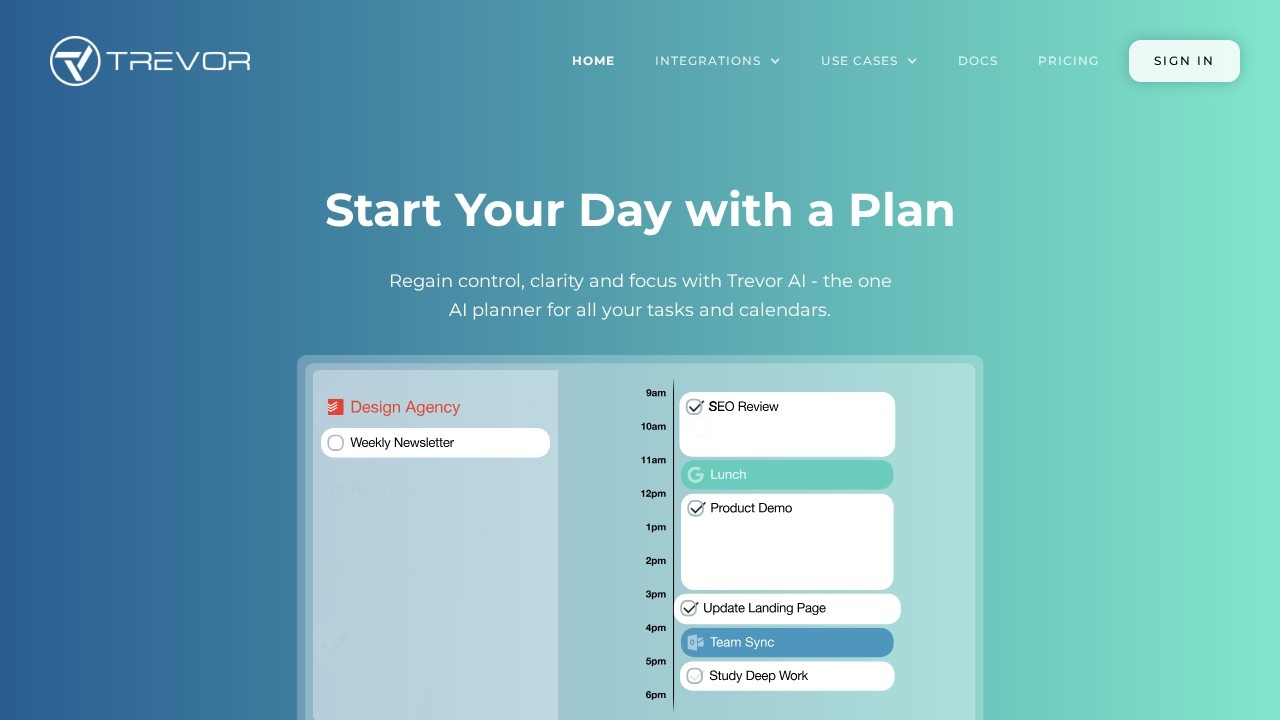
Trevor AI is an AI planner that combines your task lists and calendars in one view and helps you turn to-dos into scheduled time blocks. Its pitch is to start your day with a plan, regaining control, clarity and focus by seeing everything that competes for your time in one place. It runs on the web for desktop and mobile.
See and manage everything
Trevor connects multiple task lists and calendars and syncs scheduled tasks in real time, so you no longer hunt for scattered to-dos or forgotten appointments. Planning uses drag and drop: you drop a task onto your calendar and move it around as the day changes, so you stay in control of the schedule.
Turn to-dos into time blocks
The AI does what a traditional to-do list cannot. It predicts how long a task will take, analyses your availability and suggests a time block, which you accept with a click. You can also schedule tasks yourself; one user review on the site praises the choice between smart scheduling and manual planning. Time blocking is a well-known technique for protecting focus, because a task with a set slot is much more likely to get done than one that sits on a list.
Daily planning habit
Testimonials describe Trevor as a daily habit that reduces mental clutter and helps prioritise the most important tasks. Starting each morning by reviewing tasks and placing the key ones into the day is the core workflow.
Pricing
Check Trevor AI's website for its current plans and prices before you sign up, and try it for a week to see whether it fits your routine.
Who it suits
Trevor suits professionals, freelancers and students who juggle tasks across several tools and calendars, and people who want to try time blocking without the setup effort.
Things to consider
AI duration estimates are a guide; adjust them as you learn how long your work really takes. Leave buffer time between blocks for interruptions. Review what calendar and task data you connect and the permissions requested. Keep your plan realistic: scheduling too many tasks into one day leads to frustration rather than focus, so choose a few priorities and protect them.
Details
- Pricing
- Freemium
- Release date
- 2025-09-21
- Last checked
- 4d ago
- Indexing
- index, follow
- Category
- Planning
Suggest an edit
Sign in to suggest an edit.
Alternatives
 Plan Quest BetaIt is a practical choice for ai writing work, and the honest way to evaluate it is to give it a spin. Start at plans.quest for the latest information. Plan...
 LoadmuscleAI workout generator for personalized fitness plans and progress tracking.
 CopilotlyThe whole experience is built around finishing things. From the first run onward, you are guided toward complete, usable results rather than half-finished experiments. You will find a free plan,...
 PdfgearThe whole experience is built around finishing things. From the first run onward, you are guided toward complete, usable results rather than half-finished experiments. Teams running regular ai coding campaigns...
 Echurn Reduce Churn Boost RetentionThe whole experience is built around finishing things. From the first run onward, you are guided toward complete, usable results rather than half-finished experiments. Built for ai business work, Echurn...
 DreamgiftIt runs on a free model, so getting started is a low-risk decision. After a few sessions you will know quickly whether it fits. Freelancers use it to keep client...
 Saga AIPricing is free, and there is no pressure to commit before you have seen results in your own context. For anyone who lives in the ai productivity space, Saga AI...
 KimiKimi is Moonshot AI's assistant built on the K3 model, with agent modes for slides, docs, sheets, research and website building.
 Notevibes ComThe whole experience is built around finishing things. From the first run onward, you are guided toward complete, usable results rather than half-finished experiments. For a straightforward look at an...
 AI FrameThe whole experience is built around finishing things. From the first run onward, you are guided toward complete, usable results rather than half-finished experiments. For a straightforward look at an...
 ReccloudThe whole experience is built around finishing things. From the first run onward, you are guided toward complete, usable results rather than half-finished experiments. Freelancers use it to keep client...
 Planfit AI Personal TrainerWhat stands out most is predictability. The same input produces dependable output, which matters when you are producing work for clients or publishing on a schedule. The flexibility shows when...