


Sign in to rate this tool.
Overview
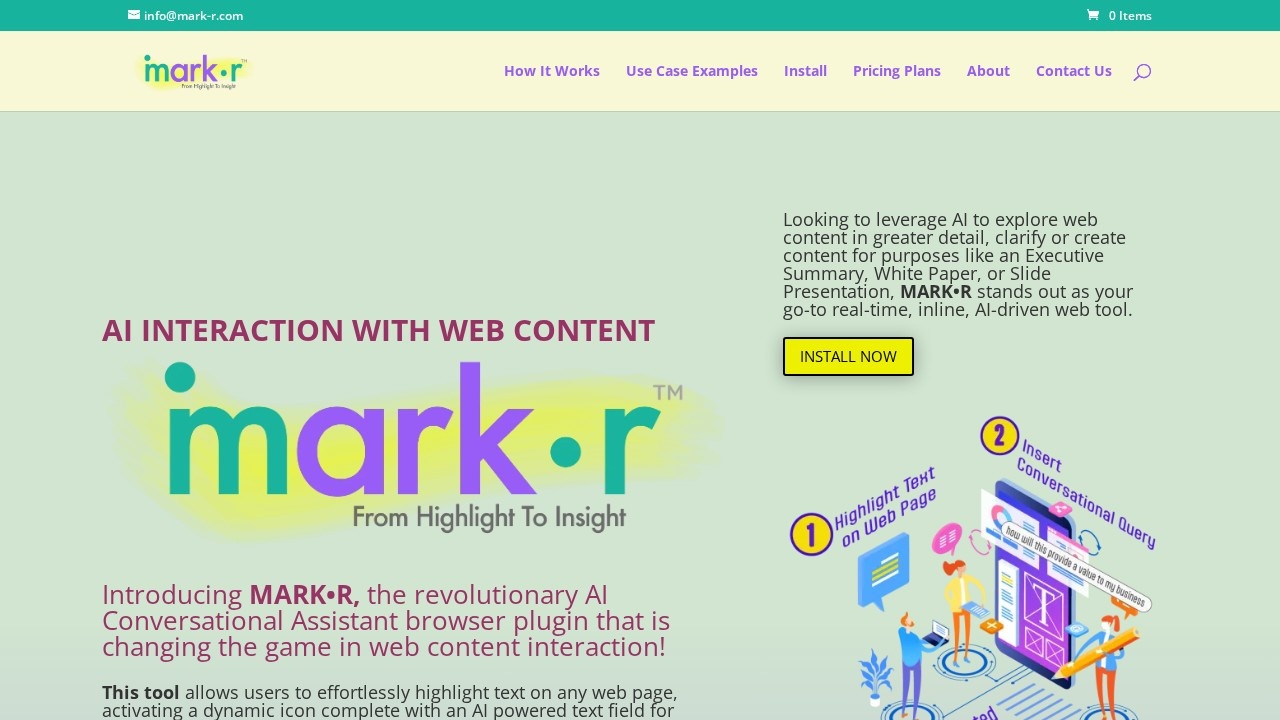
Mark R is an AI‑powered browser extension that lets you explore the text you highlight on any webpage. When you select a portion of text, a small icon appears; clicking it opens a chat field that can answer questions about the selected excerpt or the page as a whole, all within the same window.
To use the tool, choose a sentence or paragraph on a site, such as a news article, an academic paper or a marketing page, and click the icon. In the chat window you type a question, like “What does this term mean?” or “Summarise this paragraph.” Mark R pulls the surrounding content on the page so that its responses are grounded in full context. The assistant returns a short answer, a paraphrased summary, or a list of related points, depending on the query. You can ask follow‑up questions and the conversation stays linked to the same highlight, which is handy when you want to dig deeper into one section before moving to another.
The add‑on is useful for people who read online for work or study. Students can clarify a dense definition while reviewing a research article; writers can quickly generate an executive summary from a series of highlighted sections; marketers can ask for keyword themes from a blog post. The tool is not designed for bulk document processing or for offline files; it explicitly operates on the content that appears in the browser. Because it relies on the highlighted text and the page's context, it performs best on content that is structured and not heavily protected by paywalls or dynamic scripts.
Mark R highlights the entire context of the webpage, not just the selected part, to produce answers that reflect the article's overall tone and narrative. When you ask for an “Executive Summary,” the assistant will outline key points and organize them into a concise paragraph. If you request a “Slide Presentation,” it will suggest slide titles and bullet points that can be copied into a presentation deck. For research, it can pull out definitions, key findings, and reference suggestions.
The tool offers a conversational approach to web browsing that can replace the need for switching tabs or copying text into a separate note‑taking app.
Details
- Pricing
- Free
- Release date
- 2026-01-26
- Last checked
- 1h ago
- Indexing
- noindex, follow
- Category
- Chatbot
Suggest an edit
Sign in to suggest an edit.
Pros and cons
Pros
- Immediate interaction without leaving the page
- Supports a variety of content types (news, research, marketing)
- Produces concise summaries and structured outputs
- Keeps conversation tied to the highlighted text
- Helpful for both solo readers and collaborative teams
Cons
- No pricing or plan details are disclosed
- AI model version and performance limits are unspecified
- Limited to browser‑displayed content; does not process local files
- No information on mobile or cross‑browser support
Alternatives
 Smart InvoicesIf ai chatbots tasks take up too much of your day, Smart Invoices is built to give you time back. It handles the heavy lifting while leaving you in control....
 Getbutton AI Chatbots For WebsitesIf ai chatbots tasks take up too much of your day, Getbutton AI Chatbots For Websites is built to give you time back. It handles the heavy lifting while leaving...
 Dockyai Chatgpt Sidebar Chrome ExtensionTeams running regular ai chatbots campaigns turn to it for repeatable output, and solo creators use it to push through tasks that would otherwise stall their day. Before you decide,...
 EnconvoIt runs on a free model, so getting started is a low-risk decision. After a few sessions you will know quickly whether it fits. The flexibility shows when the same...
 Golinks Search Powered By ChatgptIf ai recruiting tasks are part of your routine, Golinks Search Powered By Chatgpt is worth testing against your own use cases. Their website, golinks.io, has the full details. The...
 AI Webcam Effects For Video MeetingsAI Webcam Effects For Video Meetings brings a fresh take on ai video generation tools, pairing powerful AI with an interface that does not get in the way. It is...
 BeamFor a straightforward look at an option like this, Beam is a sensible place to start. Visit getbeam.ai to see live examples and up-to-date details. The feature set covers the...
 Plan Quest BetaIt is a practical choice for ai writing work, and the honest way to evaluate it is to give it a spin. Start at plans.quest for the latest information. Plan...
 ScriptmeAutomatic transcription and subtitle platform with AI-powered tools and multi-format support.
 FixkeyAI writing assistant for Mac that adapts to your style.
 PdfgearThe whole experience is built around finishing things. From the first run onward, you are guided toward complete, usable results rather than half-finished experiments. Teams running regular ai coding campaigns...
 BrandmarkBrandmark is an AI logo maker with free unlimited logo generation and one-time packages from $35 that include vector files and brand assets.