


Sign in to rate this tool.
Overview
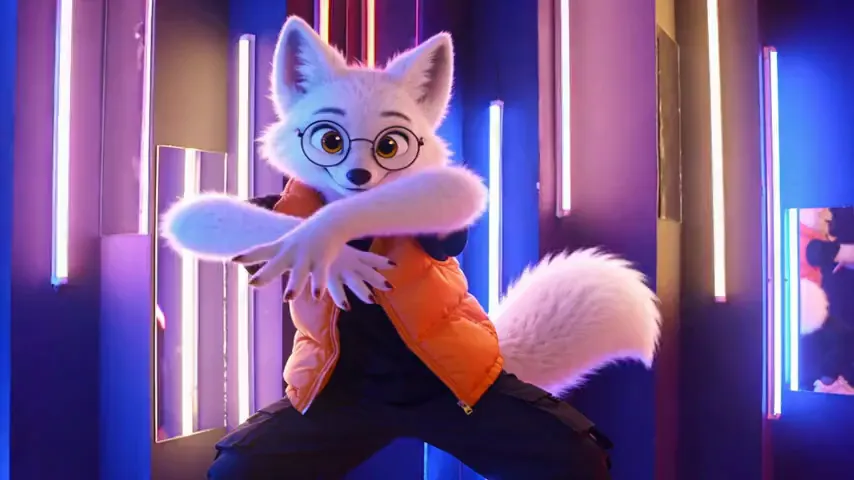
Genjutsu AI Video Editor lets you upload a short MP4 clip, describe a desired change, and then the AI modifies that clip while keeping the camera motion and timing of the original. Pricing starts at $4.99 for a 300‑credit trial pack. There is no ongoing subscription; you pay only when you generate a result.
When you open the tool, you drag or click to upload a clip that is 4–30 seconds long, no larger than 200 MB, and at least 854×480 pixels (or 640×640 for square footage). The editor shows the original footage on the left and the AI‑edited result on the right after rendering. You can enter a text prompt that explains what should change, such as “replace the dancer with a 3D arctic fox” or “swap the background to a snowy forest”, and upload 1 to 8 reference images that supply the new character, outfit, product, or scene. The system then predicts how that reference will fit the original motion, lighting, and framing. The credits used are based on the length of the clip rounded up to whole seconds. If a render fails, you receive a refund. The output may alter faces, hands, backgrounds, or framing beyond the requested change, and even a result you dislike still incurs a charge.
The platform offers three AI models: Standard Kling O3, Standard Pro, and Higgsfield Genjutsu. Each can produce different resolutions; for example, Higgsfield Genjutsu can deliver a fast draft at 720 p or a sharper 480 p. Selecting a higher‑quality model consumes more credits. Users can preview their setup before paying. The tool supports tasks such as motion transfer (having a new performer replicate the same choreography), outfit replacement (keeping the same body movements but changing clothes), product placement (adding an item to a hand‑held shot), world transfer (moving the action to a different environment), and style restyling (re‑rendering the entire clip as knitted yarn, anime, or hand‑painted). These are demonstrated with short example clips showing the raw and edited footage side by side.
The service suits creators who need quick, low‑cost video edits without traditional editing software, such as social media marketers, hobbyists, or small e‑commerce shops that want to prototype product shots.
Details
- Pricing
- Paid · from $4.99
- Last checked
- not yet
- Indexing
- index, follow
- Category
- Video
Suggest an edit
Sign in to suggest an edit.
Pros and cons
Pros
- No subscription; pay only when you run a render
- Motion transfer keeps original choreography and camera work
- Reference images allow precise control over new elements
- Fast preview before payment
Cons
- Only MP4 files accepted in-browser
- Pricing details per second are not disclosed
- No guarantee that all desired details will remain unchanged
- Limited to short clips (max 30 s) and fixed resolution bounds
Alternatives
 Re Create VideoAI-powered app to recreate viral short-form videos.
 WisecutAI-powered video editing software that automatically creates engaging clips from long videos.
 AI Video CutAI tool to repurpose long videos into short, engaging clips for social media.
 ColourlabIf ai image generation tasks take up too much of your day, Colourlab is built to give you time back. It handles the heavy lifting while leaving you in control....
 Stable VideoAI video model transforming images/text into videos.
 TryH3 — MiniMax H3 Video GeneratorIt is a practical choice for ai video generation work, and the honest way to evaluate it is to give it a spin. Start at tryh3.com for the latest information....
 ViralbotAI-powered tool for creating viral videos with subtitles for social media.
 Ssemble Youtube Shorts MakerUnderneath it all, the processing is efficient enough for everyday use. Large inputs take a moment, but ordinary work flows through without interruption. It runs on a free model, so...
 Veevid AIA description of this product, its...
 MalloyMalloy is a platform to hire top video editors.
 Wui AIAI platform to repurpose long videos into viral clips.
 JumperPlenty of detail is tucked into the options area: adjustable quality levels, formatting choices, and automation that removes the repetitive part of ai video generation work. The design favors clarity...
Pricing
- Pricing model: Paid
- Starting price: $4.99